Troubleshooting
See below for enaio® coLab troubleshooting tips.
 Unable to Send Invitations
- Check the SMTP settings in the colab-prod.yml file found in the <enaio_installation>\service-manager\config\ directory:
- SMTP server and port
- E-mails can only be sent internally since port 25 is only used internally.
- Sender address
- Authentication
- Send a test e-mail using an application like SMTP Diag Tool.
Document Preview with enaio® documentviewer not Working
- Check the endpoints in the application-cloud.yml configuration file found in the <enaio_installation>\service-manager\config\ directory:
- URL osrenditioncache / URL osrest / URL osweb / URL colab
- Check the domain name and enter the IP addresses in place of the domain name.
- Check the versions of the enaio® coLab components (including enaio® gateway) and the microservices (esp. the DMS service). Update these components if necessary.
- To make enaio® coLab accessible via SSL, check the HTTPS data in the colab-prod.yml file found in the <enaio_installation>\service-manager\config\ directory.
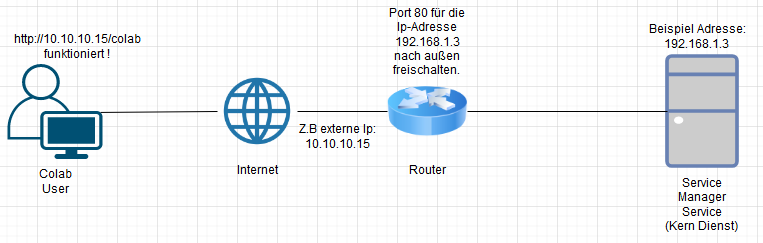
Enabling enaio® coLab for External Users
- Port 80 must be activated in order for external users to access enaio® gateway and thus enaio® webclient and enaio® coLab.
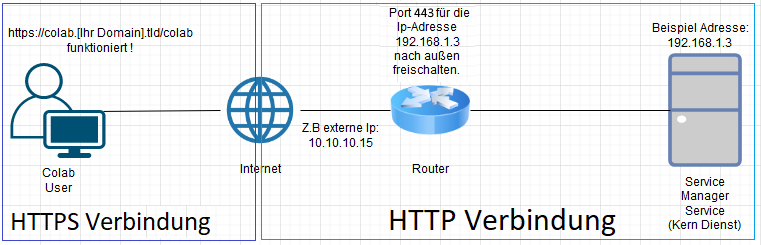
Enabling enaio® coLab for HTTPS for External Access
- Port 443 must be enabled and an SSL certificate added by the domain name provider in order to allow external users to access enaio® gateway and thus enaio® webclient and enaio® coLab.
Checking the Keycloak Configuration
-
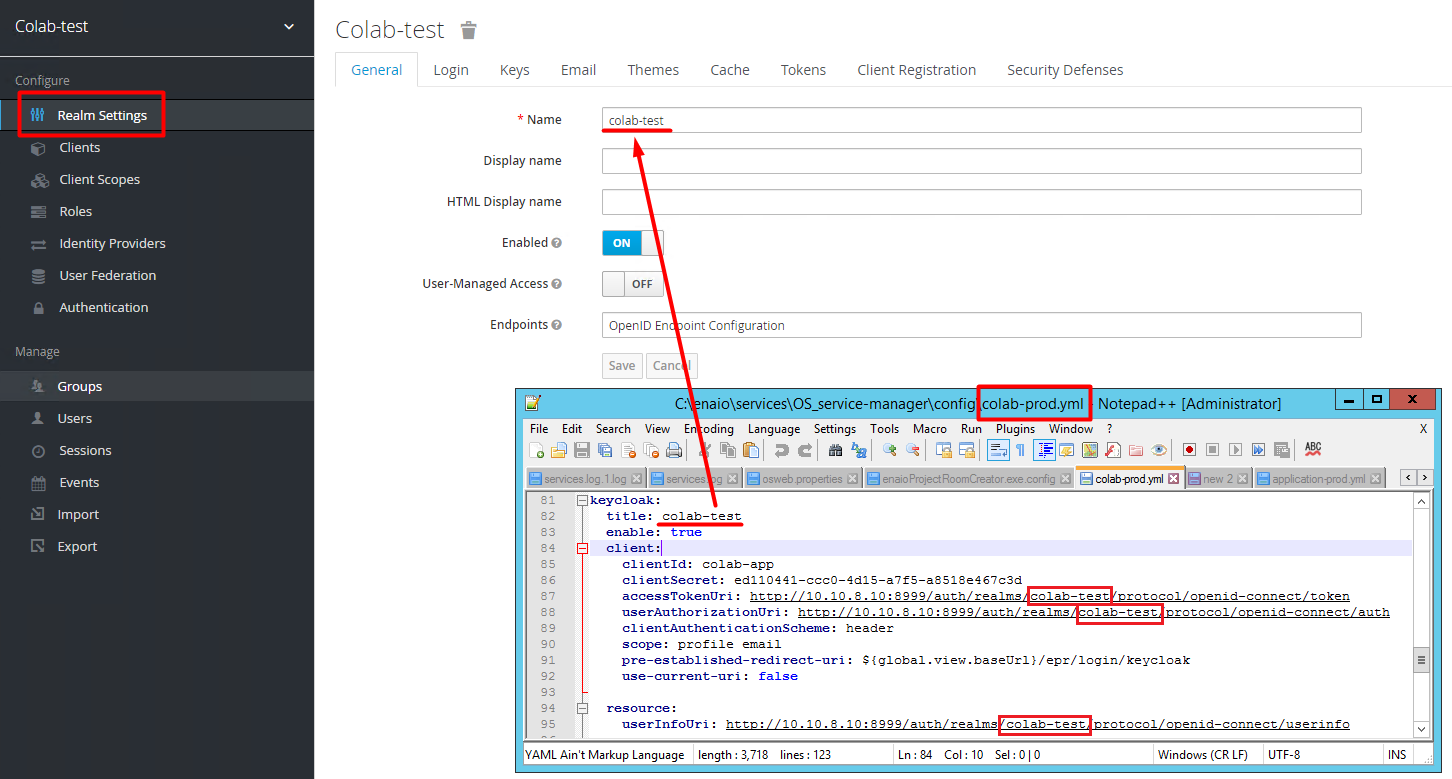
Keycloak configuration data must be entered in the colab-prod.yml file found in the <enaio_installation>\service-manager\config directory.
-
Enter the realm name in the configuration file:
-
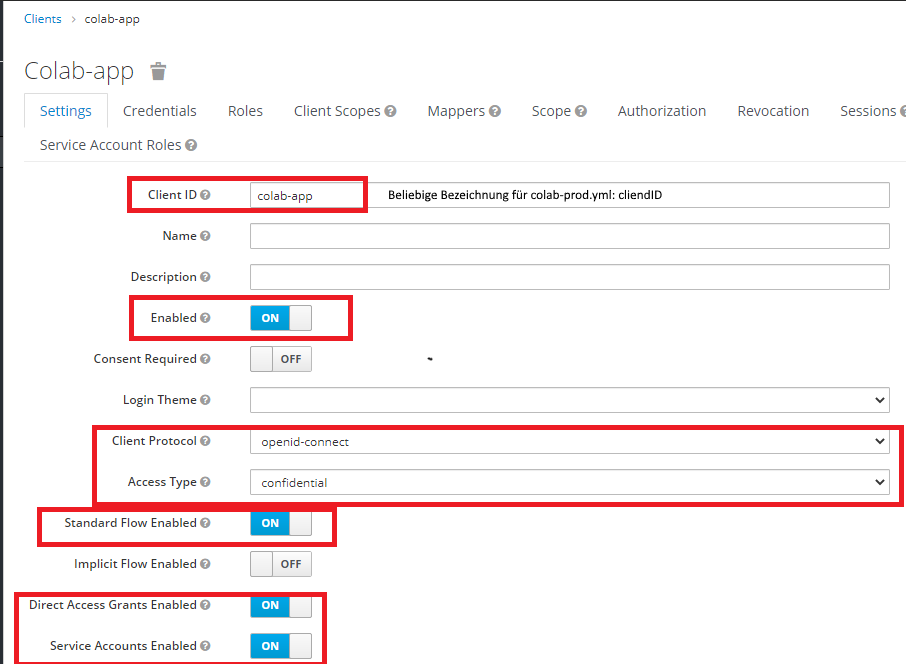
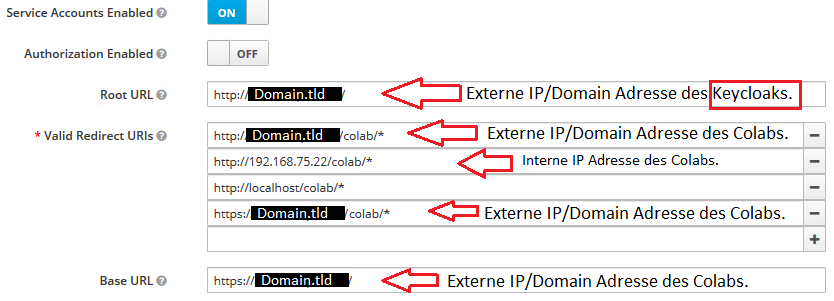
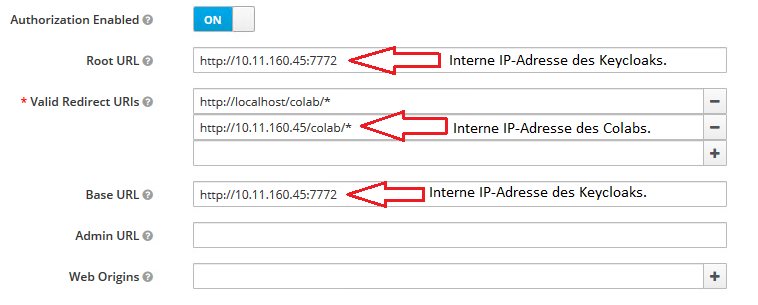
Create Keycloak client with the following parameters:
-
Addresses for external access:
-
Addresses for internal access:
-
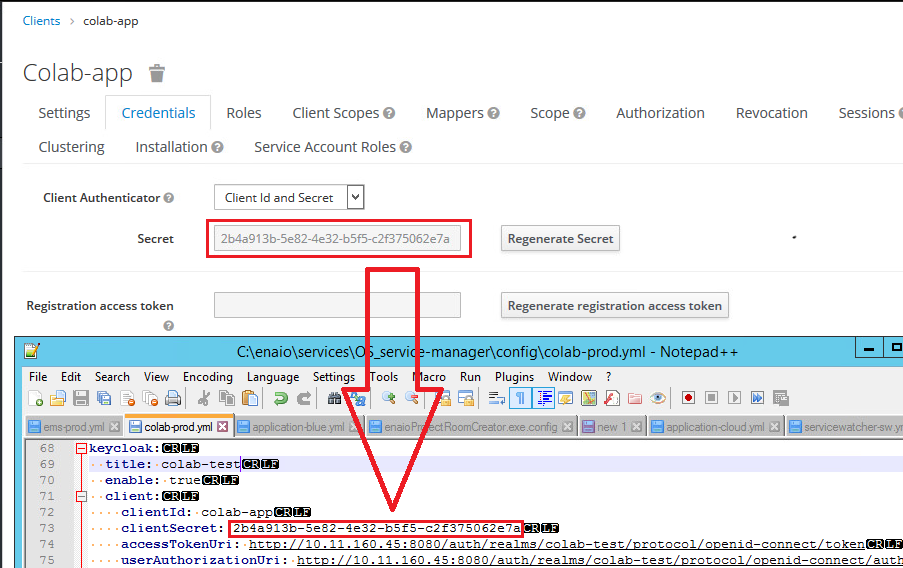
Enter the Client Secret in the colab-prod.yml configuration file:
 on the right.
 areas. Use the toolbar to show all hidden areas at once:
