The properties of every folder and register can be viewed. The properties dialog contains data on the basic parameters and information which is useful for administrative tasks.
To access the properties of folders and registers, you need the system role (44) Client: Open properties. Access rights and system roles are assigned by your administrator.
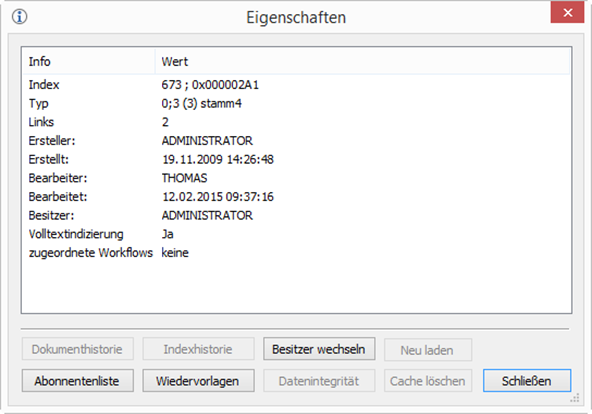
Users who are allowed to set up subscriptions for other users can press the Subscription list button to view a list of all users that have subscribed to the object.
Via the properties dialog, owners of an object and users with owner rights can change the object's owner.
Press Change owner to open a dialog with a list of all current users from which you can select a new owner.
The index history can be configured to be enabled or disabled for the entire object type or for other objects in the relevant object type. If the latter applies and you have the system role (28) Client: Open history, use the Index history button to turn the index history for the object on or off. Access rights and system roles are assigned by your administrator.
You can copy data to the clipboard via the context menu.
 on the right.
 areas. Use the toolbar to show all hidden areas at once:
