Export Scripts
When exporting documents, scripts can be integrated at various points in time. These scripts – Java Script or VBScript – are run during import.
The following scripts are available for export:
- Record scripts: after an exported record
- Field mapping scripts: for assigning values to fields
- Export script: after the export
Further information on scripting can be found in the developer documentation.
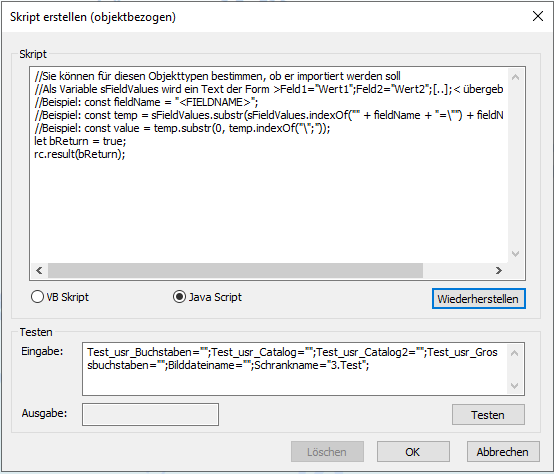
The scripts are created in the script editor. To do so, you can upload an existing script or paste it from the clipboard into the script editor for editing.
A minimum script, which can be extended to suit the specific project, is preset as the default.
If you delete the script content and click Restore, the sample script will be uploaded again in the selected script language.
Debugging Scripts in Document Export
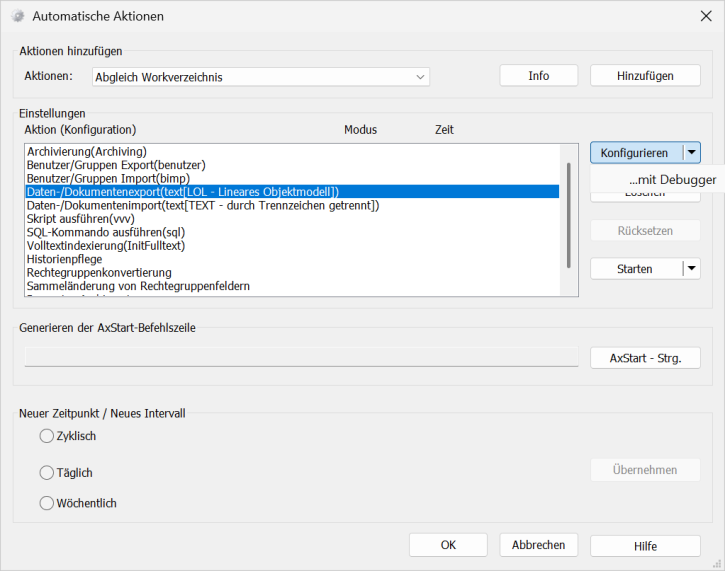
JavaScript in the document export can be debugged in the same way as JavaScript in the document import: via the configuration dialog for automatic actions.
Debugging is not available when executing automatic actions from enaio® start. The scripts are only run there.
When executing the export via the configuration dialog for automatic actions, scripts are automatically suspended in the debugger. The ...with debugger mode can be selected for configuration and startup. In the Configure with debugger mode, the scripts are automatically suspended in the debugger when the script is tested.
Further information on debugging can be found in the developer documentation.
 on the right.
 areas. Use the toolbar to show all hidden areas at once:
