Script Add-on
The script add-on allows you to run scripts, for example, edit field indexing using scripts.
enaio® webclient does not support the script add-on.
Scripts can be supplied by OPTIMAL SYSTEMS GmbH on request, or they can be created in Script Editor. The add-on must be licensed via the 'VBX' module, whereas Script Editor must be licensed via the 'VBE' module.
For the Script Editor, the user needs the 'enaio® editor: Start' system role, which is assigned in enaio® administrator.
Select Add-on in the Catalog line of the properties window to create the Add-on tab.
Use the file selection dialog to select the axaddeur.dll file located in the enaio® editor installation directory and the administration components.
Enter the path to the script in the configuration field:
Example:
EXTRA00=e:\os\vbscripts\scriptname.js
VBScripts can continue to be used. We recommend JavaScript, as we expect Microsoft to deprecate the script engine VBScript soon.
If the script add-on is assigned to an index data field, the field receives a catalog button. Press the left mouse button in enaio® client to run the linked script and the right mouse button to launch Script Editor.
If the add-on is placed on a form which is opened as read-only, it is only executed if you have specified CANLOCK=0 as the last entry in the configuration field.
Script Editor
Scripts can be created or existing scripts imported in Script Editor. Scripts which have not been provided by OPTIMAL SYSTEMS GmbH will need to be created or imported and saved in Script Editor. They are encrypted when they are saved and can only be executed by the add-on if they are encrypted. Scripts can be saved with a password and require additional licensing. Passwords may only contain ANSI characters.
Script Editor can be opened from enaio® client by right-clicking the catalog button that has been set up.
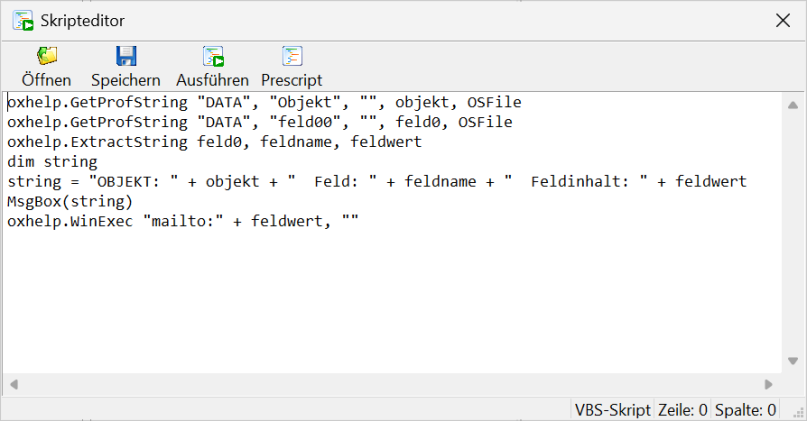
Further information on scripts using JavaScript can be found in the developer documentation.
If JavaScript is used, then debugging is possible.
 on the right.
 areas. Use the toolbar to show all hidden areas at once:
