'Execute SQL Command' Action
The 'Run SQL command' automatic action, axacolfr.dll, enables you to directly execute SQL statements and transfer the results to a script in the form of record sets.
Similar to the integration of other actions, go to the Additions tab to add the automatic action 'Execute SQL command' and create a configuration.
Use the configuration dialog to enter the SQL statement, select the script type, JavaScript or Visual Basic, and specify the script file.
Further information on scripting can be found in the developer documentation.
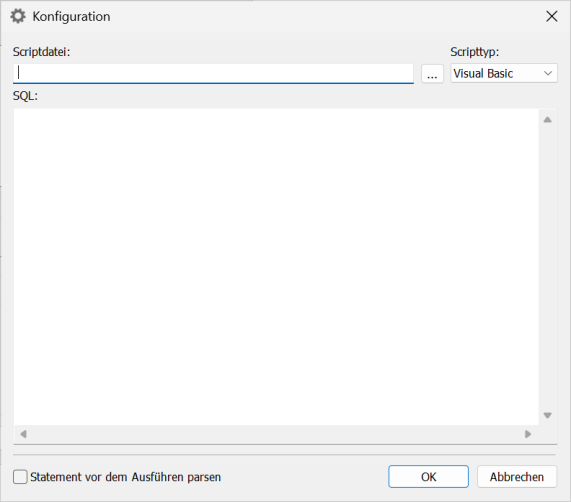
You can then execute the action in enaio® administrator or schedule it with enaio® start in the same way you would carry out the other automatic actions.
For JavaScript, the JavaScript can be opened in the debugger from the Automatic action dialog via the Start with debugger function.
Further information on debugging can be found in the developer documentation.
Configuration example:
The SQL command determines all user names from the table 'user', and the VBScript creates a text file with all user names.
| SQL | select * from benutzer |
| Script file |
|
 on the right.
 areas. Use the toolbar to show all hidden areas at once:
