'Run Script' Action
The 'Run script' automatic action can be used to run JavaScript or VBScript code. Within the scripts it is possible to use objects that are provided by Windows, enaio®, or other products. This automatic action is recommended if enaio® start is used to periodically carry out actions accessing enaio®. For example, this automatic action makes it possible to create regular reports from enaio®. Alternatively, scripts can be executed by an external scheduler, but the enaio® objects will not be initialized. The initialization of enaio® objects will be guaranteed by the runtime environment of enaio® start or enaio® administrator.
To use this action, add the axacscript.dll library via 'Additions' Tab.
Enter a configuration name when setting up this automatic action.
The action is configured in the following dialog:
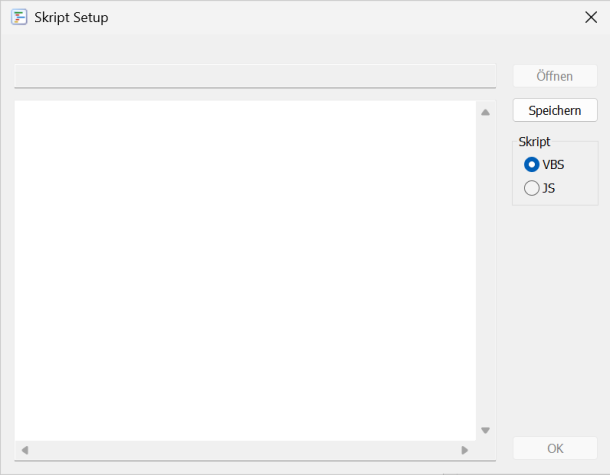
You specify whether JavaScript or VBScript code is used.
The script to be run will be saved in the file system.
Further information on scripting can be found in the developer documentation.
Debugging JavaScript
Automatic actions can be started from the Automatic action dialog.
If a JavaScript is assigned to the 'Run script' action, the JavaScript can optionally be started in the debugger.
In the Automatic action dialog, the Configure and Start functions are extended by the function with debugger.
The configuration dialog is opened via the Configure with debugger function. The JavaScript can be opened in the debugger from the dialog.
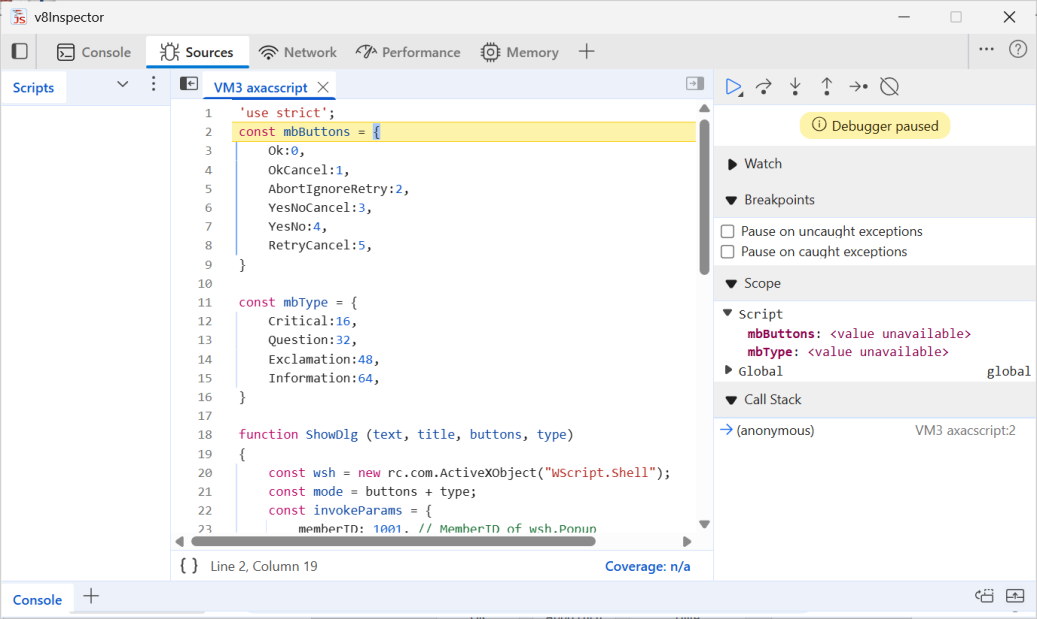
Further information on debugging can be found in the developer documentation.
 on the right.
 areas. Use the toolbar to show all hidden areas at once:
