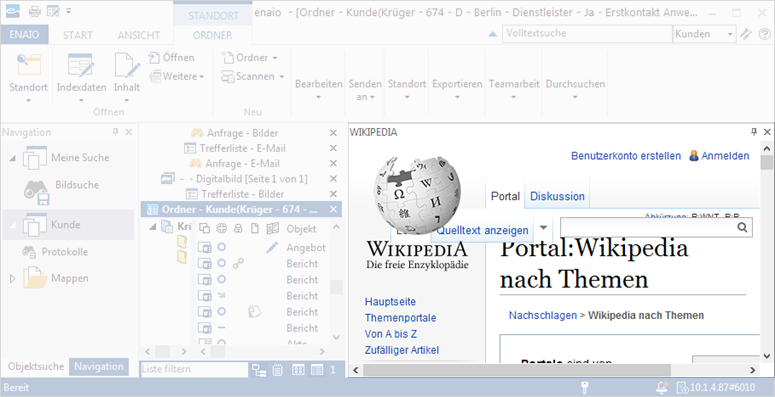
Dashlets are customizable, context-sensitive areas which can be integrated into enaio® client. The contents of dashlets are predefined by the administrator and cannot be changed by users. They allow you to incorporate information sources, such as Wikipedia or Google Maps, but also web applications, such as the enaio® office-365 dashlet or the coLab dashlet. Up to ten additional dashlets can be added in enaio® client.
An additional button will be added in the View ribbon tab in the Areas ribbon group for every integrated dashlet.
Reset the window layout of enaio® client (ENAIO ribbon tab > Settings > Workspace) before you can show/hide a newly configured dashlet.
The following dashlets will be described in this documentation:
-
coLab dashlet
Establishes a direct connection between a selected coLab object (folder, register, or document) in enaio® client and enaio® coLab (see coLab dashlet).
-
enaio® kairos dashlet
Used for AI-powered, automatic classification and indexing of documents (see enaio® kairos).
-
enaio® lumee dashlet
Enables you to search, evaluate, and summarize documents and index data in enaio® using artificial intelligence through a dialog (see enaio® lumee).
-
enaio® office-365 dashlet
Enables collaborative editing of Microsoft Office documents (see enaio® office-365 dashlet).
 on the right.
 areas. Use the toolbar to show all hidden areas at once:
